Let somebody else help with your invitation
Five people can be on one event, you included, so there are four invitations to give out. Open the menu behind your name at the foot of the dashboard, press People, type an email address, choose what that person may do and press Send invitation.
Whereyour name→People→Add someone
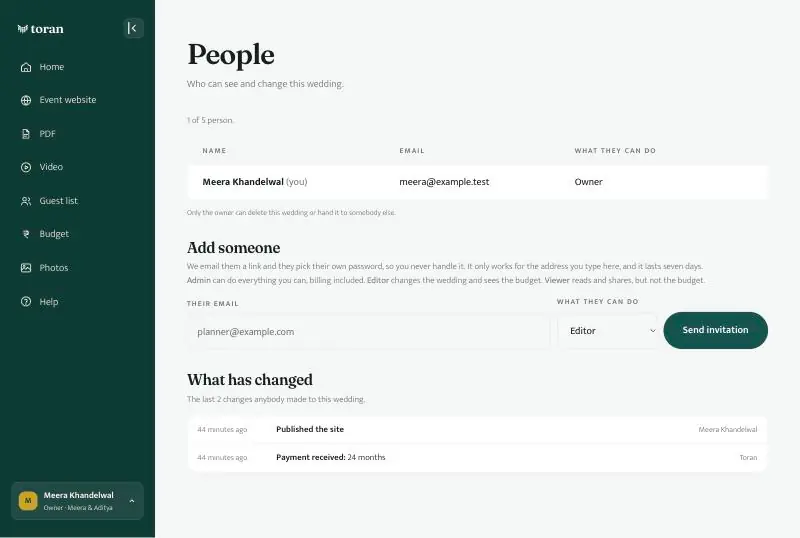
- Their email
- The address the invitation goes to. The link only works for this address.
- What they can do
- Their role — Admin, Editor or Viewer. Changeable afterwards.
- Send invitation
- Emails them the link.
They get an email with a link. Opening it asks them for a name and a password and puts them straight on your event — there is nothing for them to buy and no account for them to make first. The link only works for the address you typed, and it lasts seven days.
If you run out of places
Remove somebody who is finished — a planner after the wedding, say — and the place comes back. An invitation nobody has accepted yet still occupies one of the five, so cancel a stale invitation rather than wondering where the place went.
The What has changed list on the same page records who did what, so a figure that moved has a name against it.