Change your invitation’s colours
Open the The card section of the editor and look for Colours: pick one of the three themes — Sage, Ochre or Ember — or press Your colours and set a paper colour and an ink colour yourself. The whole invitation, the PDF and the film all follow.
WhereEvent website→The card→The look→Colours
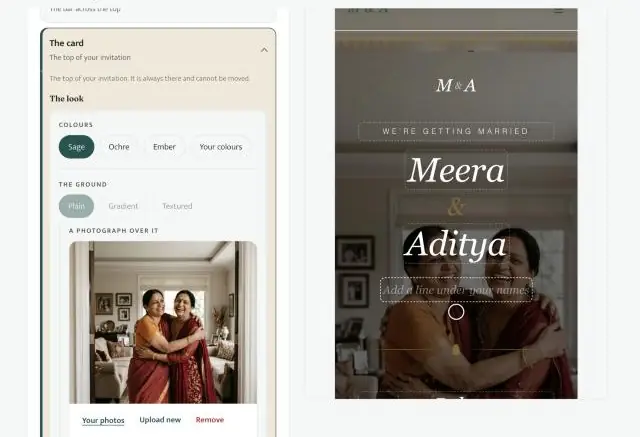
- Sage
- Soft green and cream. The quietest of the three.
- Ochre
- Warm yellow-gold on cream.
- Ember
- Deep red and gold. The most traditional.
- Your colours
- Opens two colour pickers of your own. Each has a hex box beside it, if you have a code from a designer or from the rest of your stationery.
- Paper
- The background colour of the invitation.
- Ink
- The colour of the type and the drawn decoration on it.
If you pick your own
Toran checks that your paper and your ink are far enough apart to be readable and tells you when they are not. A pale gold on cream looks beautiful in the picker and is unreadable on a phone in daylight, which is where your guests will be.