Add a vendor and what they quoted
Press Add expense — either at the top of the Budget page or inside a ceremony’s own section — and record the vendor’s name, what they quoted, what you have paid them so far and when the rest is due. The vendor’s name is the only thing required.
WhereBudget→Add expense
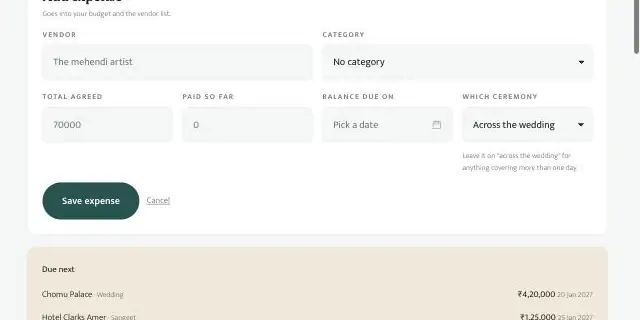
- Vendor
- Who you are paying. Required.
- Category
- Free text — Venue, Catering, Decor, Photography. Your own words, grouped for you in the summary.
- Total agreed
- The full price. This is what counts as committed.
- Paid so far
- What has actually gone out, advances included.
- Balance due on
- A date. Anything due in the current month shows on Home, so a payment does not creep up on you.
- Which ceremony
- Which function this belongs to. Leave it on Across the wedding for anything covering more than one day.
- Save expense
- Writes the row. It appears under the ceremony you chose, and in Due next if you gave it a date.
On a row that is already there:
- Edit
- Changes the figures in place. A correction to an amount is recorded as a change rather than as a deletion and a new row, so the history reads properly.