Upload a photograph or a track
Open Photos & music and press Upload. Everything you upload goes into one library that the whole invitation draws from, so a photograph is uploaded once and can then be the card photograph, part of the gallery, a face beside somebody’s name, or a frame of the film — and a track can be on your invitation page and in the film.
WherePhotos & music→Add a photo or a track
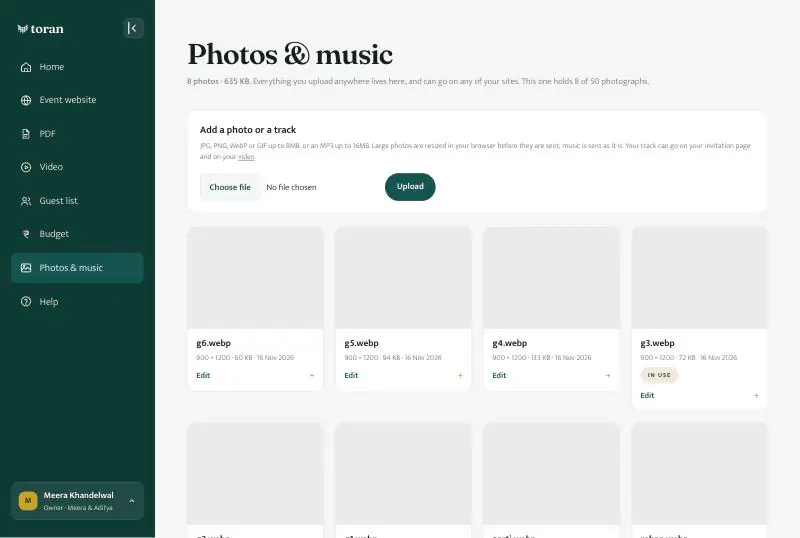
The page tells you what it takes and how much room you have left:
- Choose file
- Picks the file. A photograph as JPG, PNG, WebP or GIF up to 8 MB, or music as an MP3 up to 16 MB.
- Upload
- Sends it. Large photographs are shrunk in your browser first, so this is quick even on a bad connection; music is sent as it is.
- Edit
- On any photograph: its name, and its alt text.
- Alt text
- One sentence describing the picture. It is read out to a guest using a screen reader, and shown if the image fails to load — which on a bad connection is more often than you would think.
- Delete this
- Removes it from the library and from everywhere it was being used, so check the in use badge first. The button names what it is deleting — Delete this photo, or Delete this song.
Each photograph carries its file name, its dimensions, its size and the day you added it, and one that is being used somewhere is badged in use — so you can tell at a glance what is safe to delete.