Change what the reply form asks
The RSVP section decides what your guests are asked when they reply. Four questions can be switched off — how many of you, dietary notes, a message, and whether they need a room — and one cannot: every guest answers each ceremony separately, because that is the product.
WhereEvent website→RSVP
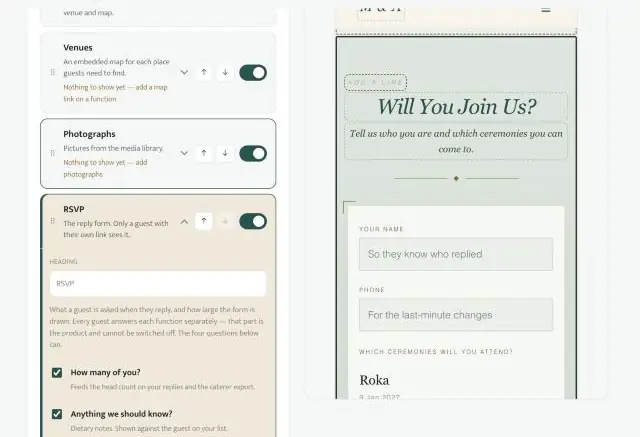
The four you can turn off:
- How many of you?
- Feeds the head count on your replies and the caterer export. The one worth keeping.
- Anything we should know?
- Dietary notes. Shown against the guest on your list.
- A message for the couple
- A note to the two of you. Nothing else reads it.
- Will you need a room?
- Writes the room column your guest list and exports already carry.
How large the form is drawn
Form size decides how much room the form takes on the page:
- Small
- The most compact.
- Medium
- The middle.
- Large
- The most generous.
It never shrinks what a guest taps: the answer chips and the Yes and No buttons are the same size at all three settings.