Set your budget
Open Budget, type a figure into Total budget at the top of the page and press Set. Everything below then reads against it: the bar shows what you have committed and what you have actually paid, and Home shows what you have spent of it.
WhereBudget→The whole wedding→Total budget
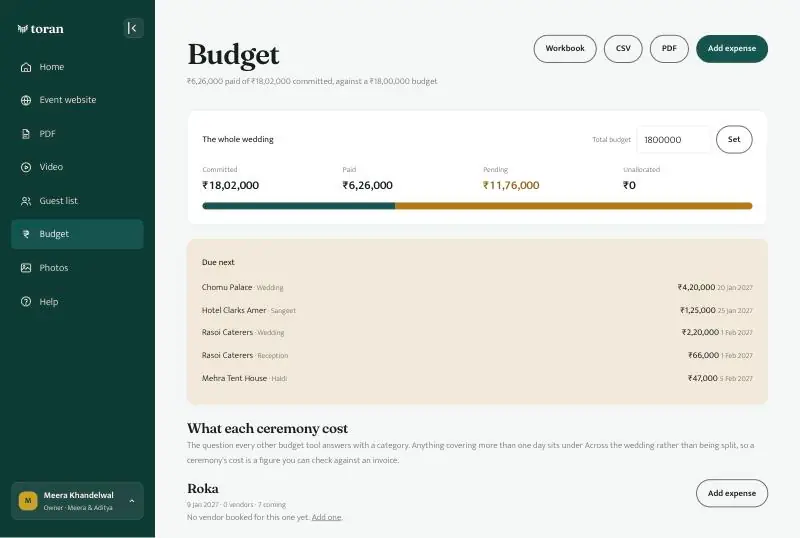
Type it in rupees, without the comma and without the symbol — `1800000` for eighteen lakh. It is shown back to you as ₹18,00,000.
The four figures
- Committed
- The sum of what every vendor quoted. What the wedding will cost if nothing changes.
- Paid
- The sum of what you have actually handed over, advances included.
- Pending
- Committed minus paid — what is still owed.
- Unallocated
- How much of your budget you have not promised to anybody yet. It is the number that tells you whether there is room for the thing you are about to book.
Due next
Under the bar is Due next: every vendor with a balance and a date, soonest first. It is drawn from the dates you set when you add an expense, so it is only as useful as those are — and anything due in the current month also shows on Home.