Open this help centre from the dashboard
Press Help in the menu down the left of the dashboard — or More then Help on a phone — and the help centre opens inside the dashboard, with the menu still beside it, so you do not lose the page you were working on.
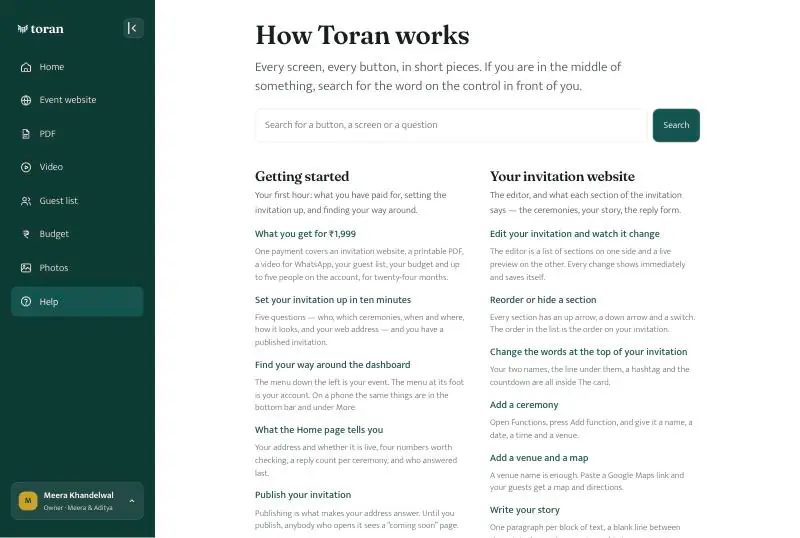
Every article is also a normal web page at `toran.ink/help`, so you can open one in its own tab, send somebody a link to it, or read it before you have an account.
Searching
The search box at the top of the help centre matches as you type, across every article’s title, headings and words, and shows you the line it matched on so you can tell whether a result is the one you want before you open it.
It takes the keyboard on its own:
- /
- Jumps to the search box from anywhere in the help centre.
- ↓ and ↑
- Move through the results.
- Enter
- Opens the highlighted result.
- Esc
- Clears the search and gives you the page back.