Add a ceremony
Open the Functions section of the editor and press Add function: give it a name, a date, a time and a venue, and it appears on your invitation, in your guest list as something guests can reply to separately, and in your budget as a section you can record spending against.
WhereEvent website→Functions→Add function
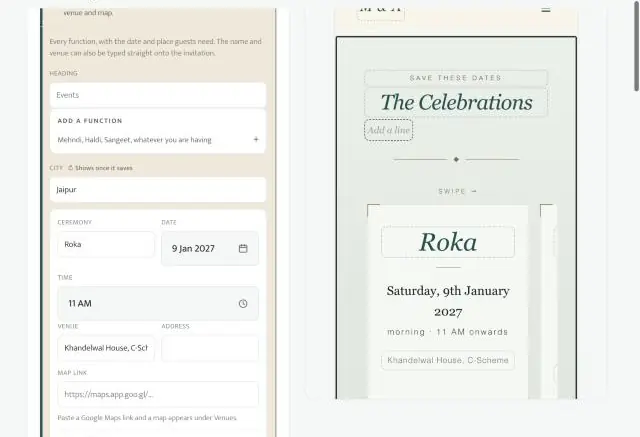
- Press Add function.
- Fill in Ceremony — Mehndi, Haldi, Sangeet, a sagai, whatever you are having. Nothing is fixed to a Hindu ceremony list.
- Set the Date and the Time. Either can be left blank if you do not know yet; the invitation simply does not print what is missing.
- Fill in the Venue. An Address and a Map link are optional — see Add a venue and a map.
On each ceremony already in the list:
- ↑ and ↓
- Move the ceremony earlier or later. Your guest list and budget follow the same order.
- Remove
- Deletes the ceremony. This also deletes every reply anybody gave for it, which cannot be undone, so it asks first.