Reorder or hide a section
Each section in the editor has an up arrow and a down arrow on its left and a switch on its right: the arrows move it up or down the invitation, and the switch decides whether your guests see it at all. The order of the rows is the order of the page.
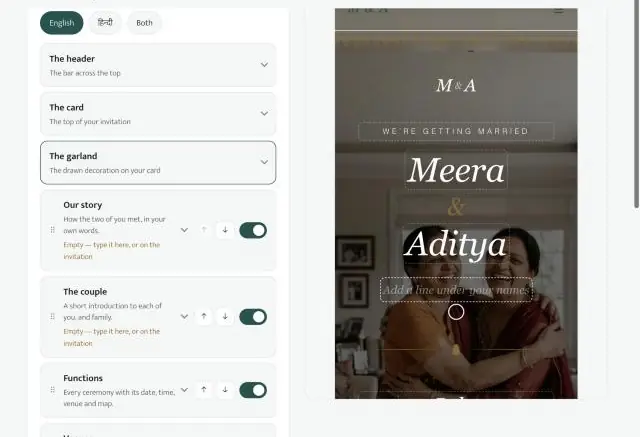
- ↑
- Moves this section one place earlier on your invitation.
- ↓
- Moves it one place later.
- See this on your page ↓
- Scrolls the preview to this section, so you can see what you are about to change.
The switch on a row is labelled for the section it belongs to — Show Our story, Show Functions, Show Photographs and so on. Turning one off removes it from your invitation and keeps everything you typed into it, so it comes back unchanged when you turn it on again.
Adding a section back
At the foot of the list is Add to your page, which offers the sections you are not using. A wedding does not have to have all of them: plenty of invitations are the names, the ceremonies and the reply form.