Download your invitation as a printable card
Press PDF in the menu and you get your invitation as an A5 card — your names, your ceremonies, your garland, your colours and your QR code — with a preview of it on the page and two buttons under that: Download the PDF and Open it in a new tab.
WherePDF
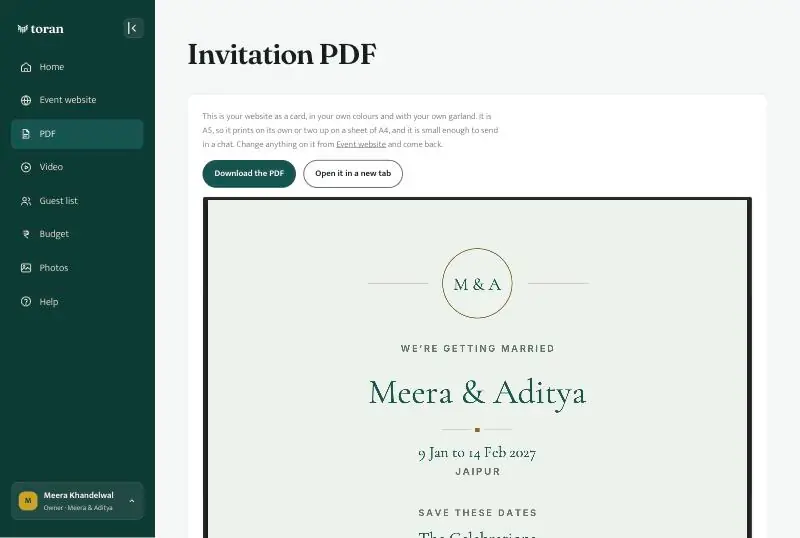
- Download the PDF
- Saves the file. This is the one to send a printer or attach to an email.
- Open it in a new tab
- Shows the PDF on its own, which is also how you print it from a browser.
It prints two up on A4
A5 is half of A4, so a printer can run two cards on one sheet and guillotine them — ask for that and you halve the paper. It is also small enough to send in a chat as it is, which is what most people actually do with it.
There is nothing to edit here
Everything on the card comes from Event website: change a name, a ceremony, the typeface or the garland there and come back, and the card is redrawn. There are no separate PDF settings to keep in step, which is deliberate — two places to set the same thing is two places to get it wrong.
A field you have left as “NA” prints as nothing rather than as the letters N and A, so a ceremony with no venue yet does not read as though its venue is called NA.