Add a guest
Open Guest list, type a name into the form at the top, tick the ceremonies that person is invited to, and press Add guest. The name is the only thing required — the side, how many of them and a phone number are all optional and can be filled in later.
WhereGuest list→Add guest
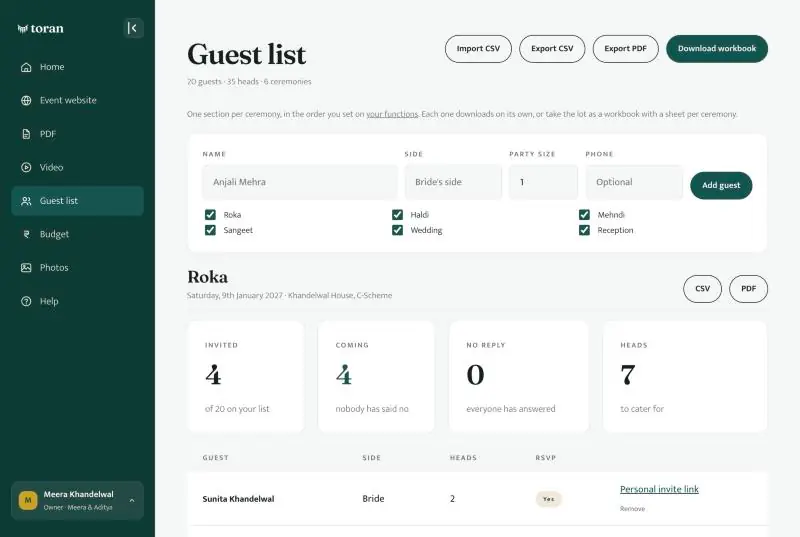
- Name
- How you want them to appear. “Sunita and Ramesh Khandelwal” is one row and is usually what you want for a couple.
- Side
- Free text — bride’s side, groom’s side, friends, office. Your own words; nothing depends on it.
- How many
- The size of their party. This is the number your head count uses until they tell you otherwise themselves.
- Phone
- Optional. Only used so you can find them again and reach them.
- The ceremony tickboxes
- Which functions they are invited to. Tick none and they land in a “not invited to anything yet” list, where you can tick them into a ceremony later.
If you have your list in a spreadsheet already, do not type it in — see Import your guest list from a spreadsheet.